How to install Dell System Update on a Fedora Linux live USB to update your Dell PowerEdge servers firmware.
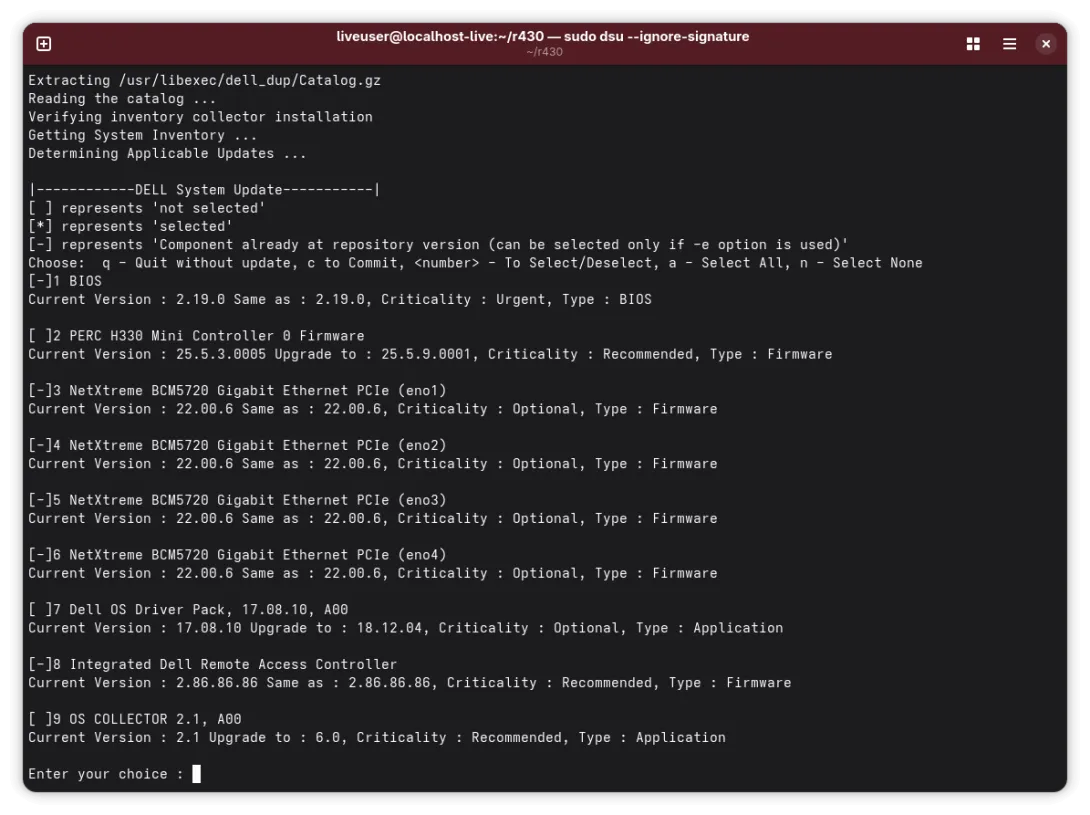
The Dell System Update (DSU) is a handy app to help you update all of the firmware on your Dell PowerEdge server. It'll even get the ones you missed or that wouldn't install properly such as Ethernet or HBA firmware.
It can be easily installed and used from a Fedora workstation live image.
- Download Fedora Workstation and install it on a USB drive.
- Boot to the USB drive and into Fedora.
- You should now see a live Fedora desktop - do not select the install option.
- Open the Terminal app.
- Run
nano dell.repo Enter or paste the following into the file:
[Dell]
name=Dell
baseurl=https://linux.dell.com/repo/hardware/os_independent/
enabled=1
gpgcheck=0
- Save the file (CTRL+O) and exit (CTRL+X)
- Add the repository by running
sudo dnf config-manager addrepo --from-repofile=dell.repo - Install DSU:
sudo yum install dell-system-update - Run DSU:
sudo dsu --ignore-signature - You can now select the firmware you need by typing the numbers, then 'c' to install them all.
Some updates such as to iDRAC or BIOS won't let you go from really old versions to the latest version. You may need to do this multiple times.
Comments
Add new comment